How to Remove Fake Followers on Instagram

Quick Answer: How to Remove Fake Followers on Instagram
To remove fake or suspicious followers on Instagram, review your Followers list, identify accounts that show multiple suspicious characteristics, and remove them individually.
Open your Instagram profile, tap Followers, find the account you want to remove, and tap Remove next to its name. Confirm your choice if prompted.
In the current Instagram app interface covered by this guide, followers must be reviewed and removed one account at a time. There is no available bulk-removal option for this process.
Why You Can't Find Instagram's Spam Removal Options
Some online guides mention Instagram features such as Flagged for review, Potential spam, and Remove all as ways to identify and remove suspicious followers in bulk.
However, these options are not available in the current Instagram app interface covered by this guide. If you have updated Instagram and cannot find these options in your Followers list, you do not need to keep searching through the app settings.
The practical way to clean up your follower list is to review suspicious accounts individually and tap Remove next to each account you want to remove.
This also gives you the opportunity to check each profile before taking action, reducing the risk of accidentally removing genuine followers.
How to Identify Fake Instagram Followers
Before removing followers, review the accounts you suspect are fake. Some accounts may be automated or created for spam, while others may simply be inactive or rarely used.
Look for several suspicious characteristics rather than relying on a single sign.
1. Missing or Generic Profile Pictures
Some suspicious accounts have no profile picture or use generic images that do not appear to represent an identifiable person or brand.
However, a missing profile picture alone does not prove that an account is fake.
2. Empty or Suspicious Profiles
Check whether the account has any posts, a meaningful bio, or other normal profile information. Accounts with no posts and almost no profile details may deserve closer inspection.
Remember that some real users prefer not to publish content or complete their profiles.
3. Unusual Usernames
Random combinations of letters and numbers, repetitive characters, or usernames that look automatically generated can be warning signs.
An unusual username by itself is not enough to identify a fake account.
4. Suspicious Follower and Following Patterns
Look for accounts with unusually high following numbers, very few followers, or patterns that seem inconsistent with normal account activity.
These patterns may indicate automated or spam-related behavior, but they should be considered alongside other signs.
5. Spam-Like Comments and Activity
Repeated generic comments, irrelevant promotional messages, suspicious links, or identical interactions across unrelated posts can indicate automated or spam activity.
Consider the account's overall behavior rather than judging it only by its activity level.
Important: None of these characteristics independently proves that an account is fake. Some legitimate Instagram users have incomplete profiles, unusual usernames, or little activity. Review multiple signals before deciding to remove someone.
How to Remove Fake Followers on Instagram Manually
The available way to clean up your follower list in the current app interface is to review suspicious accounts and remove them individually through Instagram.
Follow these steps:
- Open Your Instagram Profile: Launch Instagram and go to your profile.
- Open Your Followers List: Tap the Followers count to see the accounts following you.
- Find a Suspicious Account: Browse the list and identify an account you want to review.
- Check the Account: Open its profile and look at its profile picture, posts, bio, username, and activity.
- Tap Remove: Return to your Followers list and tap Remove next to the selected account.
- Confirm Removal: Confirm your choice if Instagram asks you to do so.
- Repeat the Process: Continue reviewing and removing suspicious accounts individually.
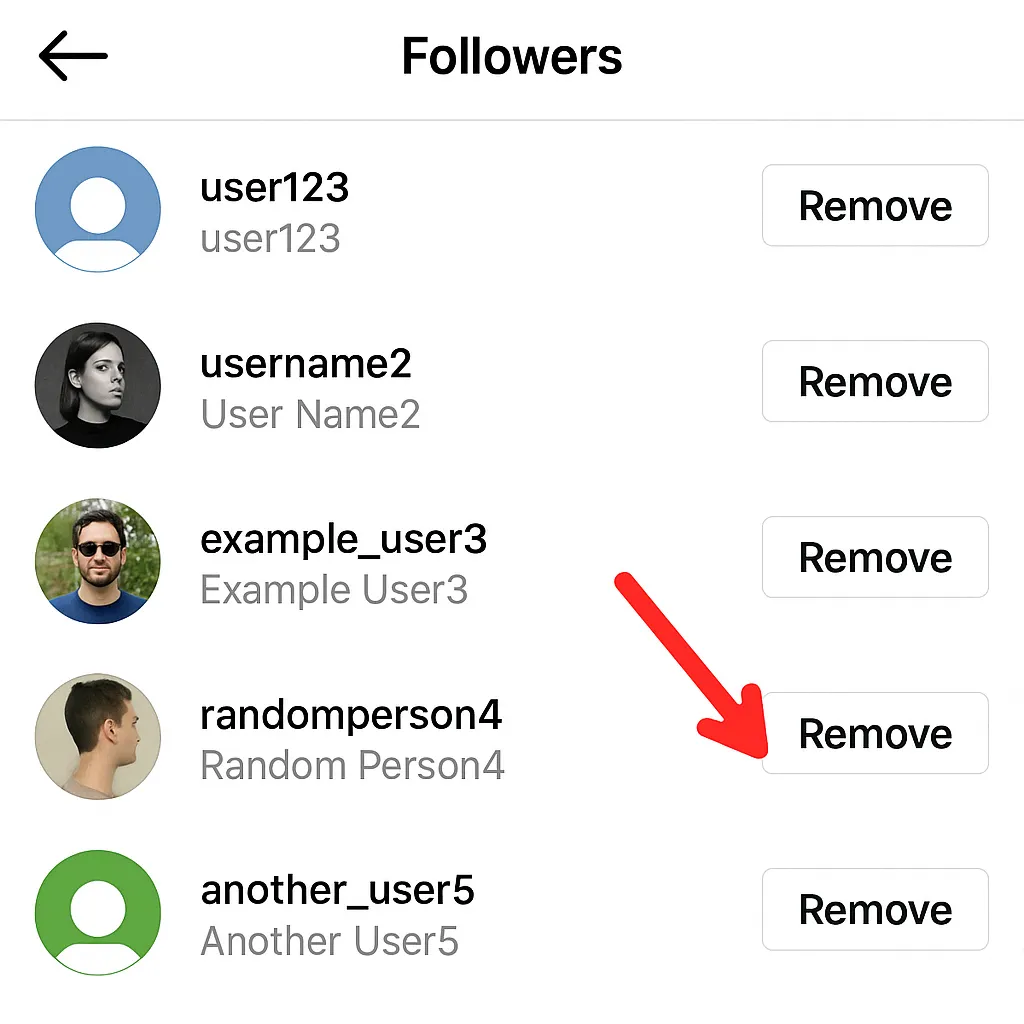
Since each follower must be reviewed and removed separately, cleaning up a large follower list can take time. Work carefully and avoid removing legitimate accounts by mistake.
Remove vs. Block vs. Report on Instagram
Instagram provides different ways to manage unwanted accounts. Choose the action based on what you want to achieve.
| Action | What it does | When to use it |
|---|---|---|
| Remove | Removes an account from your Followers list. | When you no longer want that account to follow you. |
| Block | Restricts an account from accessing or interacting with you through that account. | When an account repeatedly contacts, follows, or bothers you. |
| Report | Sends an account or its activity to Instagram for review. | When an account appears to violate Instagram's rules, such as through spam, impersonation, or abuse. |
Removing a follower is not the same as blocking them. If your account is public, a removed user may still be able to view your public content or follow you again. Blocking is a stronger option when you want to prevent further interaction through that account.
Reporting should be used for accounts that show actual suspicious or abusive behavior, not simply because they have few posts or an unusual username.
How to Prevent Fake Followers on Instagram
Although you cannot completely control who attempts to follow your account, a few habits can help you manage suspicious activity.
- Review Your Followers Regularly: Periodically check your follower list and look for accounts showing multiple suspicious characteristics.
- Avoid Fake Follower Services: Do not use services that promise automated or artificial follower growth. These can introduce unwanted accounts into your audience.
- Be Careful with Third-Party Apps: Avoid follower-management tools that request your Instagram password or unauthorized account access.
- Report Clear Spam or Abuse: Use Instagram's reporting options when an account engages in spam, impersonation, scams, or other rule violations.
- Choose Your Privacy Settings: If controlling who can follow you is more important than keeping your content publicly accessible, consider making your account private and reviewing follow requests.
Frequently Asked Questions
Open your Instagram profile and tap Followers. Find the suspicious account, review its profile, and tap Remove next to its name. Confirm your choice if prompted. Repeat these steps for each account you want to remove.
The current Instagram app interface covered by this guide does not provide a bulk-removal option for this process. You need to review suspicious accounts and remove them individually from your Followers list.
Some online guides mention Flagged for review, Potential spam, and Remove all as Instagram spam-removal options. However, these options are not available in the current app interface covered by this guide. If you cannot find them in your Followers list, use the manual removal method instead.
Look for multiple suspicious signs, such as a missing or generic profile picture, an empty profile, unusual usernames, suspicious follower and following patterns, or repetitive spam-like comments. No single sign proves that an account is fake, so review the account's overall activity before removing it.
No. Some genuine Instagram users do not upload profile pictures or posts. These characteristics can be warning signs, but they do not prove that an account is fake. Check several indicators before deciding to remove a follower.
No. Instagram does not send a direct notification when you remove someone from your Followers list. However, they may notice later that they are no longer following your account.
Removing an account takes it off your Followers list, but it may still be able to view your public content or follow you again. Blocking is more restrictive and prevents the blocked account from accessing or interacting with your profile through that account.
Yes. You can report an account if it engages in spam, impersonation, scams, or other behavior that violates Instagram's rules. A suspicious-looking profile alone is not necessarily a reason to report someone.
Be cautious with third-party apps that promise automatic or bulk follower removal, especially if they request your Instagram password or login credentials. Using Instagram's built-in Remove option manually avoids giving an external app access to your account.
Thanks for review
Your comment has been submitted and will be displayed after approval.Login
Login | SignUpSimilar Posts
If you want to build a thriving community on Telegram, you need to expand your group's membe...
Losing access to an Instagram account is possible to happen for everyone. The process of recoveri...

Previously, Instagram Reels were used for creating fun content. But in today's online world,...
Instagram’s Add Yours sticker easily helps you to create engaging stories and increase enga...
Have you ever wanted to speak with your friends on a safer platform? Telegram provides you with t...
Frankly, having thousands of followers who never like, comment, or even remember why they followe...
YouTube is a powerful platform that not only plays a crucial role in people's academic and e...
If you want a guy you like to follow you on Instagram, focus on making your profile easy to recog...
You can share someone's Instagram Story to your own Story even if they haven't tagged o...
How often should you post on Instagram to stay visible and grow your audience? Posting too rarely...