Why is my Instagram Add Yours not Working?

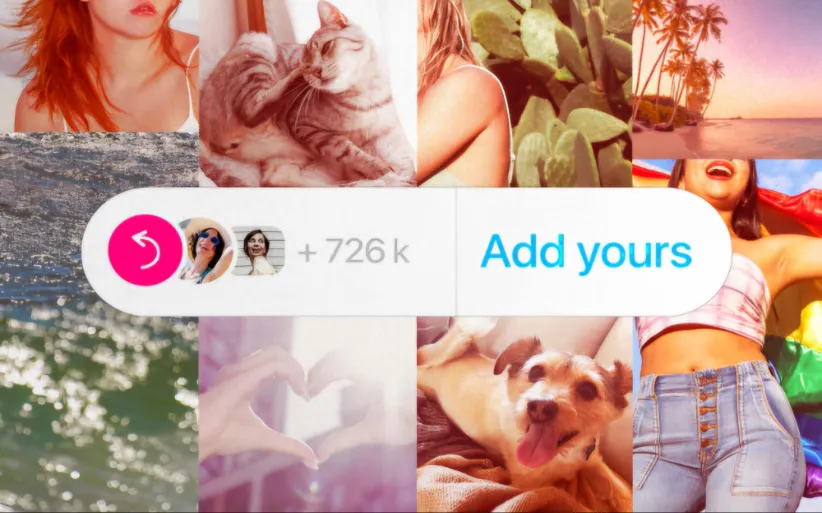
Instagram’s Add Yours sticker easily helps you to create engaging stories and increase engagement with other Instagram users. This feature was introduced recently and became one of the most popular interactive ways to create chains or campaigns on the platform.
While many users enjoy Add Yours stickers, others have reported that Instagram Add Yours is not working properly. They can see the stickers on their friends’ stories, but they can't add them to their own stories. But why does that happen?
If you are facing similar issues, you’re not alone. But no need to be worried. Most of these issues can be fixed with a few simple steps. Follow us in this guide from DrTelegram to find the possible causes of the problem and the troubleshooting solutions to get Add Yours working again.
How to Fix Instagram Add Yours Not Working Problem?
The important fact here is to know why the Add Yours on instagram story is not working. So, before anything else, you have to find the reason. Then, you need to find a solid solution to solve this problem. Before anything else, you need to know the reasons that Instagram Add Yours is not working on iPhone and Android are mutual. So, keep reading to learn how to face this problem. Here are 8 ways to fix Add Yours problem on Instagram:
1. Add Yours is not available in your country
This is one of the most common reasons why Instagram Add Yours is not working on your device. This happens because Meta releases new features gradually, and Instagram might not contain new updates in some regions. If your followers are using Add Yours on their stories but can’t find it on your app, it may be because Instagram hasn’t allowed it in your location yet.
2. Instagram Add yours is not working in outdated apps
If you want to use Instagram's new features, you have to update your application. So, if you’re running an older version of Instagram, you might not have access to the latest updates, including Add Yours stickers.
3. Check your account type to solve the problem of Instagram Add Yours
Some users found out that this feature works on one of their accounts but not another. Therefore, Instagram Add yours not working might be account-specific. Some new or restricted accounts may not have full access to all Instagram features. Some others may have tried this feature on different Instagram account types, such as personal, business, or creator.
4. Minor Instagram bugs can cause serious problems
Instagram might experience server issues or minor bugs due to updates or other hardware reasons. This will temporarily disable certain features for some users. So you need to wait for more updates on why Instagram Add Yours is not working globally.
5. Clear Instagram Cache (For Android Users)
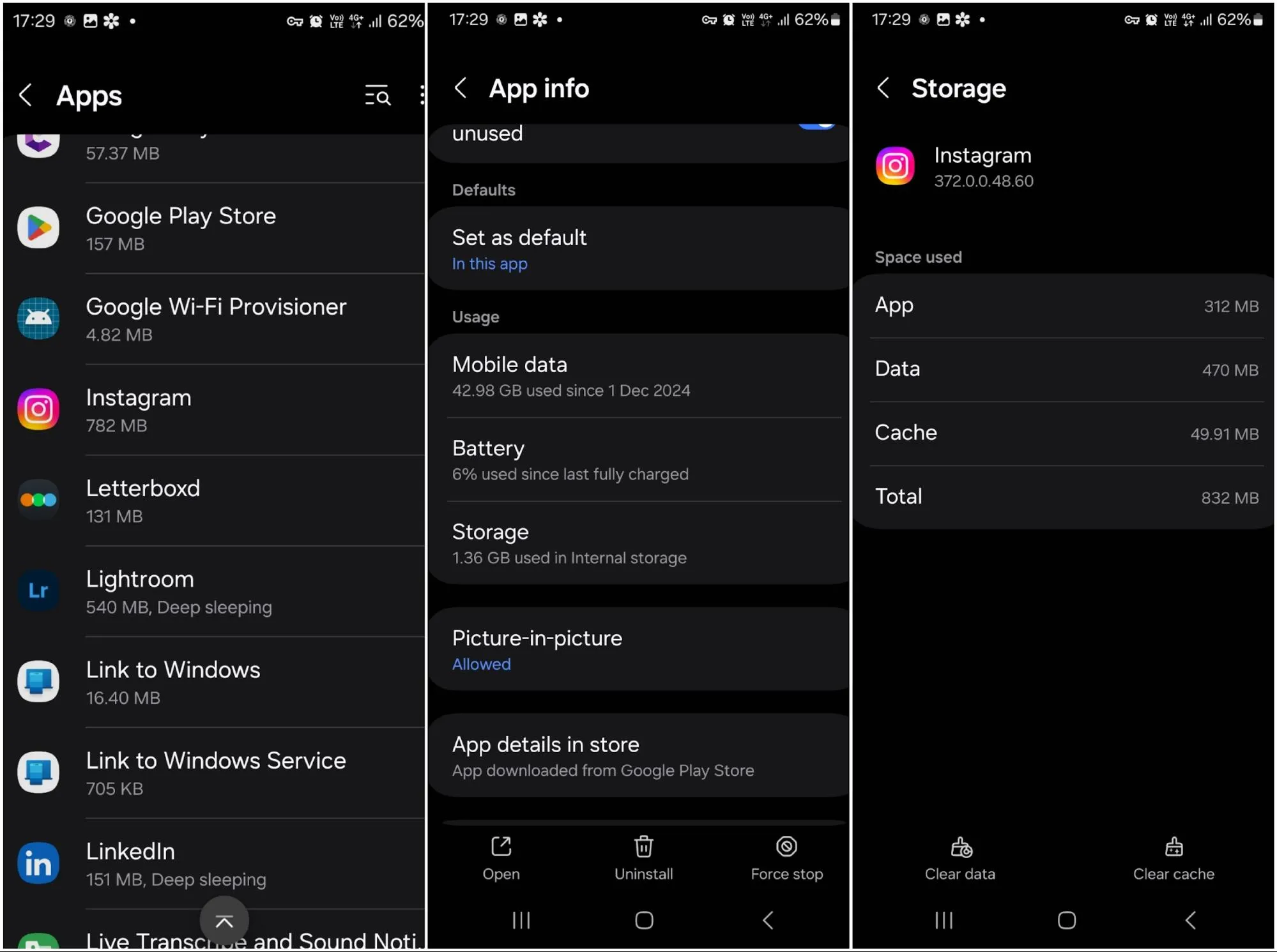
The Instagram Add Yours not working problem might be because of the Cache. Android applications save a large amount of inaccessible data called Cache memory, which should be cleaned once in a while. Clearing Instagram's cache can help resolve glitches. To do so, follow these steps:
-
Click on Settings and find Apps
-
Click on Instagram
-
Tap Storage & Cache
-
Choose Clear Cache to remove temporary files that might be causing the problem.
If you’re an iPhone user, you cannot access your cache data. So, you have no choice but to uninstall and reinstall Instagram to achieve the same result.
6. Restart Your Device (Isn’t it the easiest way?!)
You cannot believe it, but restarting your phone can be the ultimate solution! This simple but effective way to refresh your system and clear method can remove minor glitches. So, restart your phone, then open Instagram and check if "Add Yours" is available to use.
7. Reinstall Instagram if Instagram Add Yours is not working
Uninstalling and reinstalling Instagram can solve many problems. By doing so, you will have the latest version of Instagram, and if there is any new update, you'll receive it ASAP! But before uninstalling the app, make sure to know your login username and passwords.
8. Contact Instagram Support
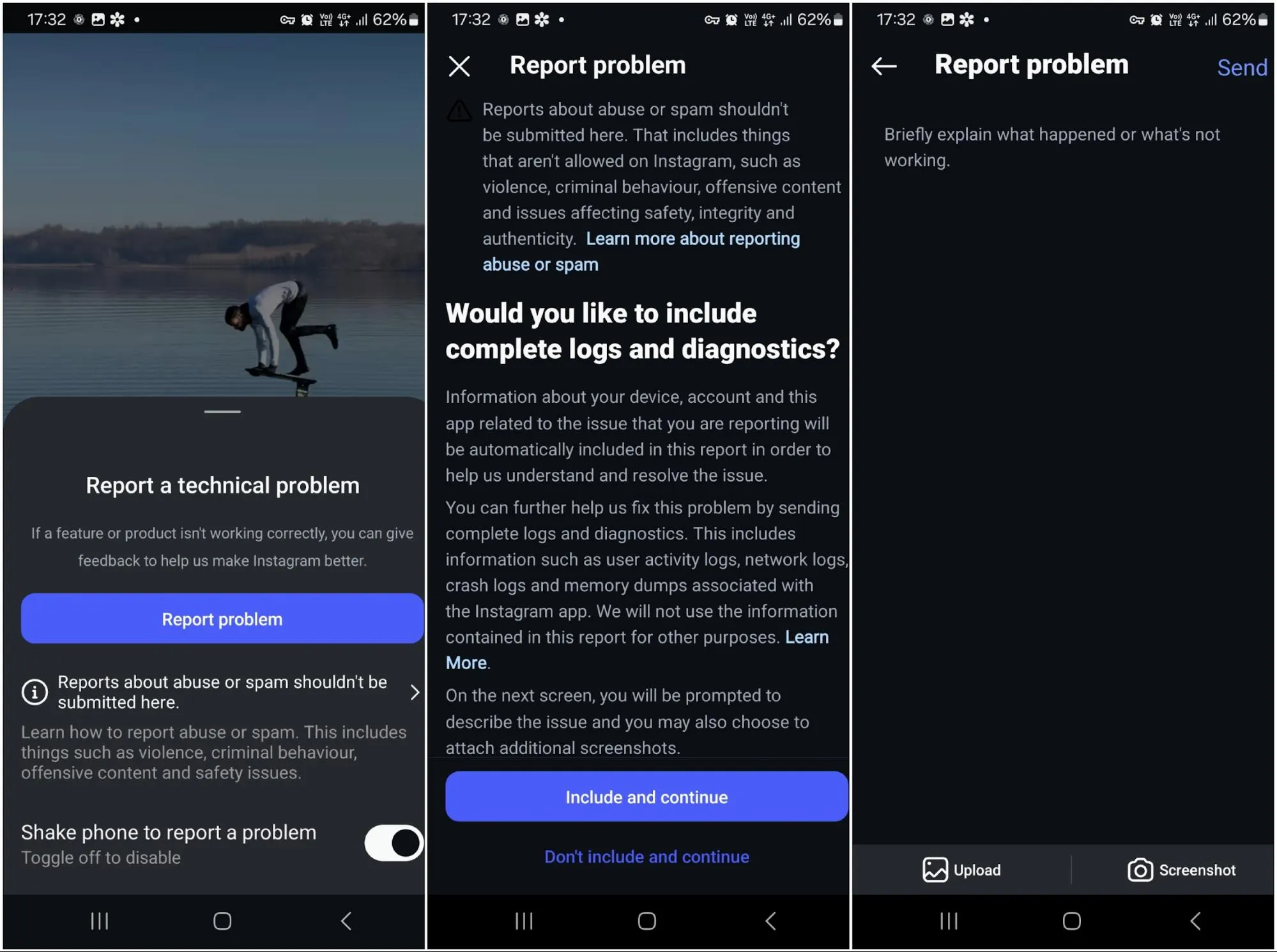
If none of the mentioned methods helped you out, try calling for help from Instagram itself! You can simply report your problems to the Instagram support team with a simple act! Do you want to know how? Just shake your phone and see what happens!
-
Shake your phone
-
Click on Report a problem
-
Choose include and continue
-
Briefly explain your problem
-
You can also upload media or take screenshots from the Instagram screen to completely support your problem.
 How to find Add Yours templates on Instagram?
Now that you know how to fix the Instagram Add Yours not working problem, let's find out how to enable Add Yours on Instagram! There are 2 ways to create add yours stickers on Instagram:
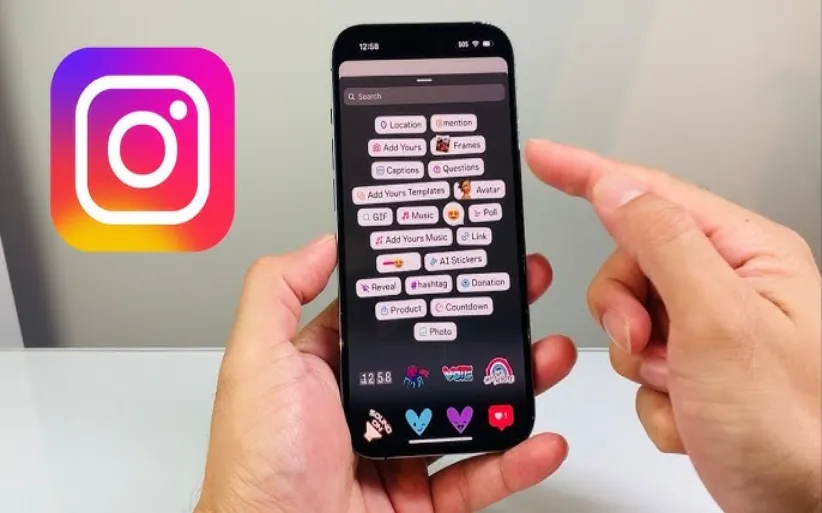
Add yours from someone's Instagram story and create your own Add Yours story.
Using Add yours sticker introduces your page to other Instagram users by creating a chain of stories, and if you buy Instagram followers next to using this feature, your Instagram profile can boost easily!
Conclusion
The "Add Yours" sticker is a fun and useful feature that helps users to engage with each other through creative prompts and chains. However, you might encounter some dilemmas in using these stickers. Don’t worry, we introduced you to several solutions to solve the Instagram Add Yours not working problem.
Now that you know how to find and fix the Add Yours stickers problems, tell us how you usually use this feature! Do you find it helpful and engaging or not? We are waiting for your comments!
Frequently Asked Questions
Your Instagram might be outdated. There also might be other reasons, such as region change, VPN, bugs, etc.
Unfortunately, iOS does not support caches, and you have to uninstall/ reinstall the app.
Yes, update your phone to the newest version, and the Add Yours sticker will appear in the sticker box in the story.
You can find them on some specific pages on Instagram that share trending Add Yours campaigns.
Thanks for review
Your comment has been submitted and will be displayed after approval.Login
Login | SignUpSimilar Posts
If you want to build a thriving community on Telegram, you need to expand your group's membe...
Losing access to an Instagram account is possible to happen for everyone. The process of recoveri...

Previously, Instagram Reels were used for creating fun content. But in today's online world,...
Have you ever wanted to speak with your friends on a safer platform? Telegram provides you with t...
Frankly, having thousands of followers who never like, comment, or even remember why they followe...
YouTube is a powerful platform that not only plays a crucial role in people's academic and e...
Do you want to increase your connections on Instagram? There are lots of ways to do so. Whether y...
Did you know that you can share other people's stories? Sometimes, you feel like reposting o...
The Instagram algorithm is a frequently used phrase in social media. But what does it resemble? I...
Nowadays, engagement is the talk of social media. Fake followers, bots, or inactive accounts can ...